Even with great lighting, cameras, and mics — a cluttered background can instantly ruin your video’s aesthetic.
Your background quietly communicates professionalism, attention to detail, and brand consistency. That’s why a green screen setup is one of the smartest upgrades a YouTuber or educator can invest in.
A good green screen doesn’t just “hide the mess.” It gives you creative freedom — to appear inside a digital studio, classroom, or cinematic environment — without leaving your desk.
Whether you’re teaching online, streaming games, or filming YouTube tutorials, a green screen setup helps your visuals look clean, consistent, and ready for any platform.
🎥 What Is a Green Screen & How It Works
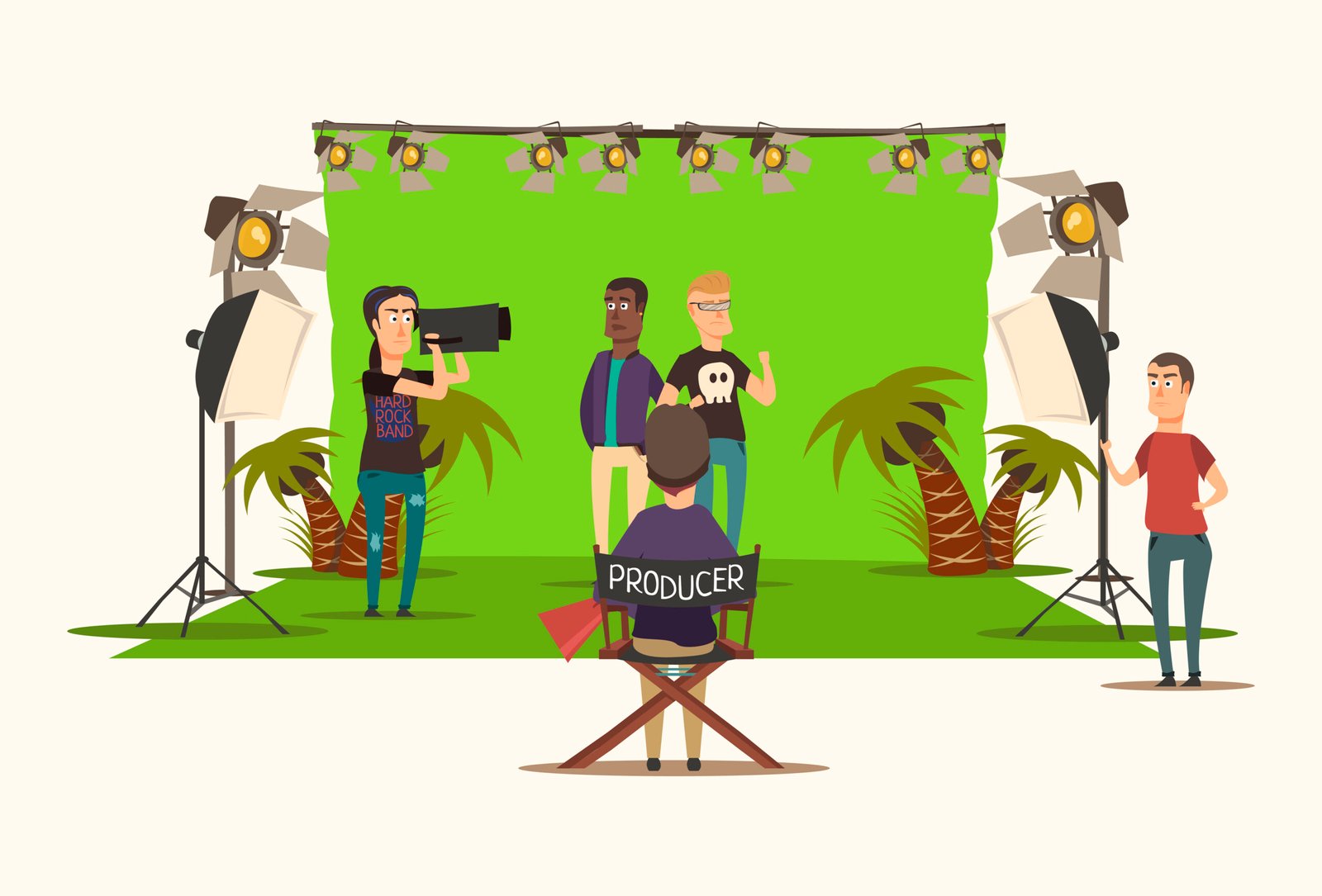
A green screen (also called a chroma key background) is a flat, evenly colored green surface that allows editing software to digitally remove that color and replace it with any virtual backdrop — a photo, video, or animated environment.
The process — called chroma keying — isolates green because it’s a color least found in skin tones or clothing.
When done right, it creates seamless results that look like you’re standing in a completely different place.
How it works (step-by-step):
- You film yourself in front of a uniformly lit green screen.
- Your editing software (e.g., OBS, CapCut, DaVinci Resolve, or Premiere Pro) identifies and removes the green color range.
- You add your desired background image or footage — turning your real setup into a digital space.
Everyday uses include:
- News and weather forecasts
- Movie and VFX scenes
- Zoom or Teams calls with virtual offices
- YouTube tutorials and product demos
- Gaming livestreams
Today, creators can achieve this effect using affordable and portable tools — no full studio required.
🧩 Types of Green Screens for Creators (Expanded)
Choosing the right green screen depends on your available space, shooting style, and how mobile your setup needs to be. Let’s explore all five types — with examples available in India right now.
1️⃣ Foldable Pop-Up Green Screens
Pop-up or collapsible green screens are ideal for creators with minimal setup space. They unfold instantly and pack away flat — perfect for home creators who record in tight corners or shared rooms.
Examples:
💡 SUPERNIC 120×180 cm Collapsible Green Screen Reflector — reversible green/blue sides for quick background changes.
💡 VTS Collapsible Photography Backdrop — pop-up reversible design with carry case.
Best for: Teachers, gamers, or creators filming waist-up content.
Pro Tip: Use two soft LED panels angled at 45° to reduce green spill on your shoulders.
2️⃣ Backdrop Stand Kits (Muslin Cloth Type)
These are traditional tripod-based full kits — including fabric, adjustable stands, and clamps. They’re the best choice for full-body or multi-subject shoots.
Examples:
💡 HIFFIN Photography Backdrop Kit (Green Fabric + Stand) — complete muslin cloth kit with adjustable frame.
💡 E-Costar Green Screen Backdrop Kit — perfect for YouTube creators wanting large, professional coverage.
💡 GIFTMAX Background Kit — beginner-friendly yet studio-usable kit with clamps and carry bag.
Why choose this: You get maximum versatility and a cinematic, clean background for product demos or standing videos.
Pro Tip: Always stretch the cloth tight and use backdrop clips to remove wrinkles — these shadows are the #1 reason for bad chroma results.
3️⃣ Chair-Mounted Green Screens
Chair-mounted green screens are revolutionary for streamers, online educators, and remote professionals.
They attach directly behind your chair — taking almost no extra space.
Examples:
💺 MVPRO Chair-Mount Green Screen (4.65 ft) — foldable chair-back screen, perfect for streaming setups.
💺 PRYMALL Pop-Up Green Screen Chair Attachment (50 in) — compact circular design for small desks.
💺 GRABADO Portable Green Screen Chair (56 in) — collapsible and wide, suited for gaming or tutorials.
💺 RGTBANWPN Portable Green Screen Chair (59 in) — large round screen giving full upper-body coverage.
Best for: Gamers, streamers, teachers, or course creators working from tight desk setups.
Pro Tip: Keep at least 1 foot of distance between the chair and wall to reduce uneven shadowing. Use a backlight from behind to cut green reflection off your hair.
4️⃣ Wall-Mounted or Roller-Style Green Screens
Ideal for permanent home studios or dedicated spaces.
They’re similar to projector screens — just pull them down when you need to film.
Why creators love them:
- No setup time before filming.
- Perfectly flat surface every time.
- Great for hybrid workstations (camera one minute, office call the next).
Examples:
💡 RAUBAY Wall Mount Collapsible Green Screen (import model) — premium roller style with robust frame.
💡 MVPRO Wall-Mounted Background Kit — for creators wanting a semi-permanent professional backdrop.
Pro Tip: These are worth the investment if you record multiple videos per week — time saved is quality gained.
5️⃣ Portable Tripod-Mounted Options
These are versatile, adjustable-height green screens mounted on lightweight tripods — great for outdoor creators or educators recording in different rooms.
Examples:
💡 Kit T-Shape Background Stand by Neewer-style brands — good for compact setups.
💡 PROLITE Background Kit — simple stand system for creators needing mobility.
Best for: Multi-location vloggers, educators, or anyone without a fixed studio.
Pro Tip: Always position the tripod away from direct sunlight or uneven indoor light to avoid reflective patches on the fabric.
🧱 Studio Accessories That Complete the Setup
A green screen works best when supported by the right tools. Here’s how to get studio-grade results with simple accessories 👇
🎯 1. Backdrop Clamps & Poles
Keep the cloth tight and smooth — wrinkles are the #1 cause of bad keying.
👉 Choose rubber-grip, heavy-duty clamps (HIFFIN or Digitek) for best tension control.
💡 2. Reflectors & Diffusers
Balance your light — green screen lighting should always be soft, not harsh.
👉 Try a 5-in-1 reflector kit (silver/gold/white/black/transparent) to control tone and shadows.
🔦 3. LED Panels or Softboxes
Uniform lighting ensures smooth color separation.
👉 Side panels like Godox LEDP260C or Amazon Basics LED Panel Kit provide even illumination.
🪑 4. Chair-Mounted or Popup Backgrounds
Ideal for streamers or educators in small corners.
👉 Use anti-glare materials (like the MVPRO or PRYMALL models) to prevent hot spots.
🎬 5. Tripod & Clamp Accessories
Keep your camera stable — and your mic or light precisely positioned.
👉 Use flexible tripods to position a fill light pointing directly at the green screen.
🧰 6. Studio Storage & Carry Cases
Store cloths rolled, not folded — prevents permanent crease shadows.
👉 Consider fabric-safe carrying tubes or waterproof bags if you film outdoors.
💡 How to Light a Green Screen Properly (Expanded)
Lighting determines whether your chroma key will look “studio perfect” or “home experiment.”
✅ The 3-Zone Lighting Rule:
1️⃣ Screen Lights – Two diffused LED panels facing the backdrop at 45°.
2️⃣ Subject Lights – Your face should have its own even light source (a soft ring light works well).
3️⃣ Backlight (Hair Light) – A small rear light creates separation and eliminates spill glow.
✅ The Magic Formula:
- 45° light angle from both sides
- 3–4 ft subject-to-screen distance
- Matching color temperature (daylight 5600K)
- Avoid shadows overlapping your body edges
If you can afford one upgrade — choose consistent lighting over a bigger screen.
🚫 What Not to Do When Shooting with a Green Screen
Even with great lighting, common mistakes can ruin your results. Avoid these:
1️⃣ Don’t wear green or teal — you’ll vanish into the background.
2️⃣ Avoid shiny jewelry and reflective glasses.
3️⃣ Keep at least 3–4 ft distance from the screen.
4️⃣ Don’t use glossy or satiny fabric backgrounds.
5️⃣ Light evenly — not from one side only.
6️⃣ Steam or iron your backdrop every time.
7️⃣ Keep background area clear of clutter or shiny surfaces.
🧠 Buying Guide: What to Look For
When choosing a green screen setup, keep these five essentials in mind 👇
🎨 1. Fabric Type
Go for matte muslin or polyester fabric — they provide even color absorption and smooth chroma keying.
Avoid shiny or satin materials, as they reflect light unevenly and create visible hotspots in your footage.
📏 2. Size
Match the size of your backdrop to your shooting style:
- 5×7 ft — Perfect for sit-down videos, talking heads, and tutorials.
- 7×10 ft or larger — Ideal for full-body videos, product showcases, or studio setups.
If your camera is positioned far away, opt for a wider screen to avoid edge spillage.
⚙️ 3. Mount Type
Your mounting choice determines convenience:
- Tripod stands — Great for flexible setups or creators who move gear often.
- Wall roller systems — Better for fixed, semi-permanent studios where you record frequently.
A tripod setup offers mobility, while rollers offer consistency.
🧳 4. Portability
If you create content from multiple locations — or film in tight spaces — choose foldable pop-up or chair-mounted screens.
They save space, set up in seconds, and travel easily in compact carry bags.
For home studios, a collapsible full kit strikes the best balance between mobility and coverage.
💡 5. Lighting Compatibility
Your green screen’s texture must match your lighting type.
- Softboxes or LED panels work best with matte fabrics.
- Avoid glossy materials that reflect ring lights directly into the camera.
Balanced lighting ensures smooth color removal and fewer editing hassles later.
🛒 Recommended Green Screens & Accessories (2025 Edition)
All verified for stock & authenticity on Amazon India:
🔹 Full-Size Kits
- HIFFIN Photography Backdrop Kit (with Stand & Cloth)
- E-Costar Green Screen Backdrop Kit
- GIFTMAX Background Kit
🔹 Chair-Mount Screens
🔹 Collapsible / Pop-Up
🔹 Premium Studio Systems
💬 FAQ — Green Screens & Studio Accessories (2025)
Yes. Blue screens work equally well but require more light. Green is preferred because most cameras are more sensitive to green hues.
For beginners: CapCut or Canva. For professionals: OBS, DaVinci Resolve, or Adobe Premiere Pro.
At least two soft lights (one on each side of the backdrop) plus a key light on your face. More evenly distributed light = cleaner keying.
It’s usually wrinkles or uneven fabric tension. Iron the cloth, use backdrop clamps, and balance your lighting levels.
Technically yes — but only if it’s matte, evenly colored, and tightly stretched. Shiny or wrinkled sheets will cause poor keying results.
3–4 feet is ideal to avoid shadows and spill. Too close, and your subject will reflect green light; too far, and the lighting may fall off.
📚 Related Guides & Resources
For a full breakdown, see our best green screens for YouTubers guide.
Explore More Studio Gear:
Pingback: Best Lighting Setup for YouTubers in India (2025) | Ring Lights, LED Panels & RGB Kits
Pingback: 15 Best Tripods for YouTubers & Content Creators in India (2025) | Stable Shots Made Simple